
Coming soon to iPhone Pro & iPad Pro · Free
A field instrument for ghost research.
Wispscan maps the room with LiDAR, outlines figures with on-device machine learning, listens for voices, and writes your Investigation Report — all on the phone, with no Nerd Driven server behind it.
See it in action
Four ways to look
Every mode reads real sensor data — ARKit scene depth, the reconstructed mesh, Vision body pose, sound classification — and shows you exactly what it found.
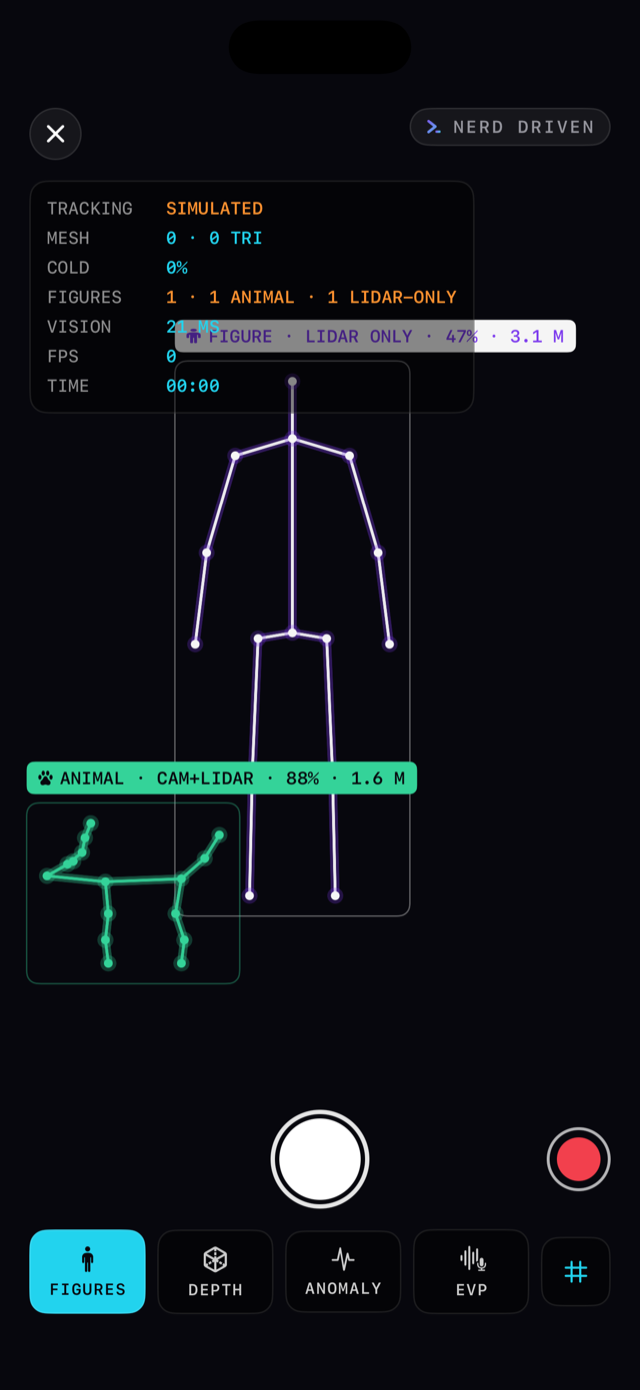
Figure Scan
People and pets are outlined in real time. A figure both the camera and the LiDAR see is CAM+LIDAR. One found only in depth data, with nothing in the camera image, is LIDAR ONLY — rare, and the reason researchers point the phone at empty corners.
Depth Field
The room redrawn from distance alone: cyan up close, violet far away, contour lines every 25 cm, and the reconstructed surfaces as a wireframe. Pale flickering patches are cold spots — places where the scanner has low confidence in its own reading.
Anomaly Watch
Prop the phone up. Wispscan compares each depth reading with the last and boxes any patch that moved while the camera image stayed still.
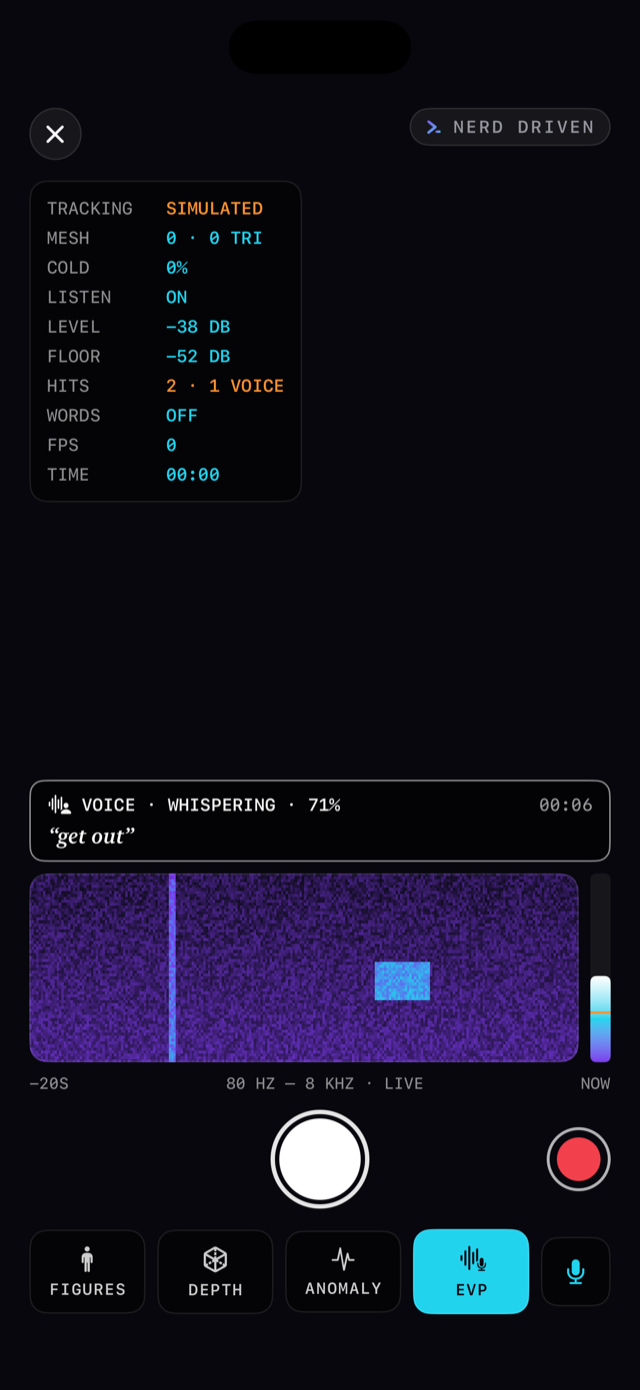
EVP Listen
A live spectrogram of the room. Sharp sounds, voice-like sounds, movement-like sounds, and recognized words are pinned to the timeline. Tap any reading later to hear the eight seconds around it.
Works in the dark
When the camera can't see, Night Mode reads the LiDAR directly — depth and figures keep going in total darkness.
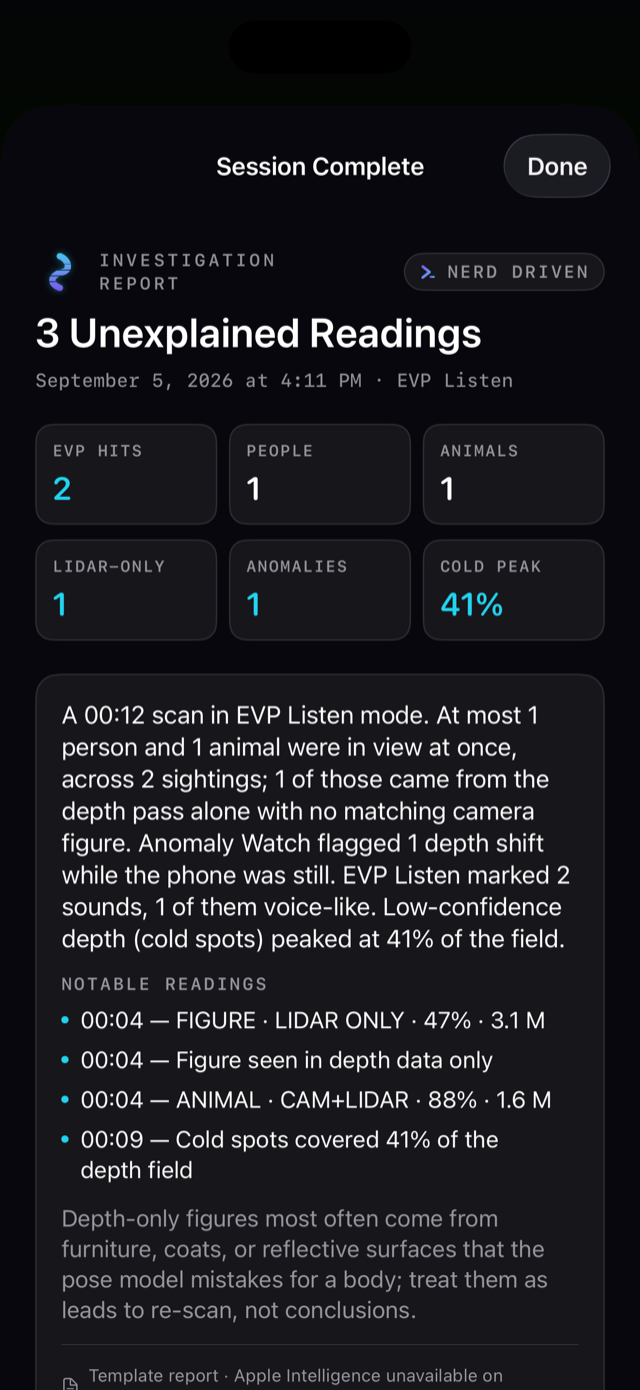
Investigation Report
End a session and Apple Intelligence writes the report on your device: title, summary, notable readings with timestamps, and an assessment.
Every report knows where it was
With one tap of permission, reports open with the place, weather, barometric pressure and trend, and the moon phase. Context, never evidence.
Stills & clips
Capture a still or record a clip of the scanner with the reading and the Wispscan band, ready to share.
Share it all
Share the report as a card, as text, or with its stills, clips, and EVP excerpts through the system share sheet.
Past investigations
Every session over five seconds is kept on the device — revisit the readings, replay EVP hits, and share later.
iPhone Pro & iPad Pro
Requires a LiDAR scanner: iPhone 12 Pro or later Pro and Pro Max models, and iPad Pro (2020) or later, on iOS 26.
Free. No account.
No sign-in, no subscription, no in-app purchases. Open it and begin an investigation.
Private by design
Nothing reaches Nerd Driven.
We run no servers
Camera frames, depth data, audio, stills, clips, and reports live in the app's private storage on your device. Nerd Driven has no database and no copy of anything you scan.
No accounts, no sign-up
There's nothing to register. Open the app and begin an investigation.
The smarts stay home
Figure detection, sound classification, speech recognition, and the report itself all run on the device using Apple's on-device frameworks. Nothing is sent away to be understood.
Zero tracking
No analytics SDKs, no ad identifiers, no crash reporters. The app's privacy manifest declares no tracking and no collection beyond the one optional location fix described below.
The fine print, honestly: with the "Place & weather in reports" switch on, Wispscan takes one location fix when a session begins. It names the place on the device through Apple Maps and sends the coordinate to Apple's WeatherKit — and nowhere else — for the weather. The coordinate isn't stored; only the place name and the readings are kept with the report. Turn the switch off, or decline the location prompt, and reports simply omit the line.
For entertainment purposes
Wispscan reads real sensor data and reports it honestly, and none of that data can detect the paranormal. Figures are a model's best guess, cold spots are sensor uncertainty, anomalies are depth changes with ordinary causes, and EVP hits are sounds a classifier trained on everyday audio recognized. Enjoy the hunt; treat every reading as something to explain.
Questions?
The searchable FAQ lives behind the ? on the app's home screen. For anything else, we read every message.
Get support →